
Imagine visiting a website to find a service or make an enquiry, but the page keeps loading. You wait for a few seconds, try again and eventually decide to visit another website. This is a common experience for internet users, and it is something businesses cannot afford to overlook.
A website is often the first interaction someone has with a business. Its design, content and functionality all contribute to how visitors perceive a company. However, one important factor that sometimes receives less attention is loading speed.
A visually appealing website may attract visitors, but if it takes too long to display information, people may leave before exploring what the business offers. Slow loading can affect customer experience, website engagement and the number of enquiries a business receives.
For businesses that want to build a stronger online presence, understanding website performance is an important starting point.
Let’s look at why website load speed matters and what practical steps can help improve it.
Why Does Website Load Speed Matter?
Website speed is not just about how quickly a homepage appears. It also affects how visitors interact with different pages, navigate between services and complete important actions.
Here are some reasons why it deserves attention.
1. It Helps Create a Better First Impression
First impressions matter, especially when someone is visiting a business website for the first time.
When a page loads smoothly, visitors can immediately start reading, viewing images and exploring services. This creates a more comfortable browsing experience and helps the business appear professional.
However, when important content takes too long to appear, visitors may become frustrated. They might question whether the website is reliable or simply choose another business.
A website should make it easy for people to find what they need without unnecessary waiting.
2. Visitors Are More Likely to Stay and Explore
People usually visit a website with a particular purpose. They may want to compare services, check pricing, read useful information or contact a company.
If every page takes several seconds to open, exploring the website becomes frustrating. Visitors may leave without discovering the services or information that could have helped them make a decision.
A faster website makes navigation easier and encourages visitors to spend more time exploring relevant pages.
3. Website Speed Supports SEO Performance
Search engine optimisation involves several elements, including useful content, relevant keywords, technical structure and website performance.
Google considers page experience signals, including Core Web Vitals, when assessing websites. These measurements help understand how quickly content appears, how responsive a page feels and whether its layout moves unexpectedly.
Improving website performance can support a better user experience and contribute to a stronger technical SEO foundation.
However, loading speed alone does not guarantee higher search rankings. It should be considered alongside content quality, website structure and other SEO practices.
For a better understanding of how website development contributes to search performance, read our guide on web development techniques for SEO.
4. It Can Influence Customer Enquiries and Sales
Consider a visitor who finds your website through Google and wants to request a quote. They open your service page, but the content loads slowly. When they finally reach the enquiry form, the page becomes unresponsive.
There is a good chance they will leave without completing the form.
This is why website performance matters for businesses that depend on online enquiries, bookings or sales. A smoother experience makes it easier for visitors to understand your services and take the next step.
A fast website cannot guarantee more conversions, but it can remove unnecessary obstacles from the customer journey.
5. Mobile Visitors Need a Smooth Experience
Not everyone visits a website using a desktop computer. Many people search for local services, compare businesses and make enquiries directly from their smartphones.
A website that performs well on desktop but struggles on mobile can create a poor experience for a large part of its audience.
Images that take too long to load, oversized elements and difficult navigation can make mobile browsing frustrating.
Businesses should regularly check how their websites perform on different screen sizes and network conditions.
What Usually Makes a Website Load Slowly?
Before making improvements, it helps to understand what might be causing the problem.
Some common reasons include:
Large image files: High resolution images that have not been resized or compressed can increase page size and delay loading.
Too many scripts: Unnecessary JavaScript files, tracking codes and external integrations can increase the amount of work a browser needs to complete.
Unoptimised website code: Large CSS, JavaScript and HTML files can affect how quickly a browser processes and displays a page.
Poor hosting performance: Limited server resources or slow server response times can affect the loading experience.
Unnecessary plugins: Websites using multiple plugins may load additional scripts and resources that are not always needed.
Missing caching settings: Without suitable caching, browsers may need to download the same resources repeatedly when visitors return.
Identifying the actual cause is important because applying random optimisations may not solve the underlying problem.
Practical Ways to Improve Website Load Speed
Improving website speed does not always mean rebuilding everything. Often, a few carefully selected technical improvements can make a meaningful difference.
Here are some practical steps worth considering.
1. Resize and Compress Images
Images help make website content more interesting, but oversized files can slow down page loading.
For example, uploading a large photograph when a much smaller version would look equally good on the page creates unnecessary data for visitors to download.
Try resizing images according to their actual display dimensions and compressing them before uploading. Modern image formats such as WebP and AVIF can also help reduce file sizes while maintaining good visual quality.
Lazy loading can be useful for images further down a page because it allows the browser to prioritise the content visitors see first.
A useful tip: Before uploading a new image, check its dimensions and file size. Small adjustments at this stage can prevent unnecessary performance problems later.
2. Remove Unnecessary Website Elements
Every website feature should serve a purpose.
Sometimes, businesses add multiple animations, popups, plugins and third party tools without considering how they affect performance.
Review your website and identify elements that are no longer needed. Removing unused plugins, outdated scripts and unnecessary integrations can reduce the resources required to load a page.
This does not mean removing useful design features. The goal is to keep the website functional without making it unnecessarily complicated.
3. Make CSS and JavaScript More Efficient
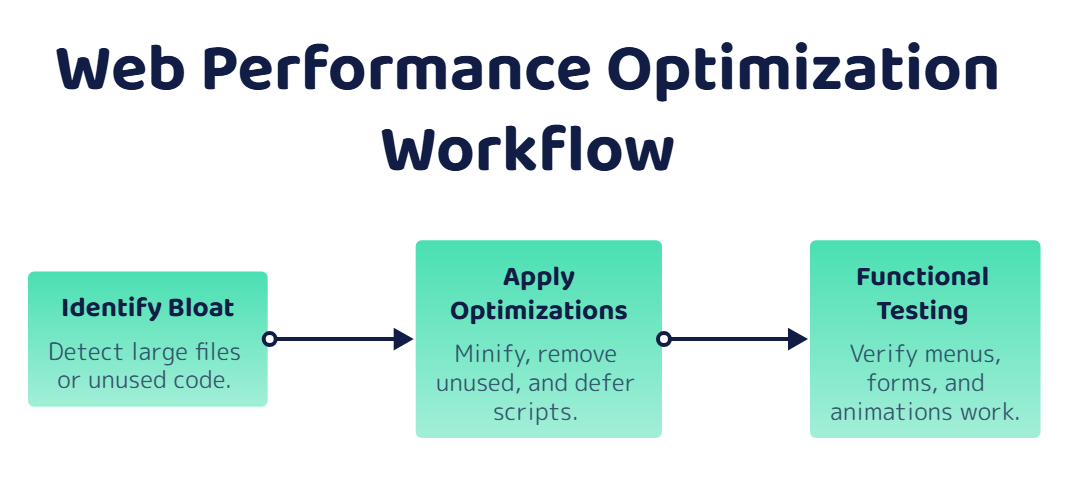
CSS controls the appearance of a website, while JavaScript supports interactive features and functionality.
When these files become unnecessarily large or contain unused code, they can affect loading and rendering.
Developers can improve performance through techniques such as minification, removing unused CSS, reducing duplicate scripts and deferring non essential JavaScript.
These improvements should be tested carefully to ensure that menus, forms, animations and other website features continue working correctly.
4. Choose Suitable Website Hosting
Your hosting environment affects how quickly your website can respond to visitors.
If the server has limited resources or is poorly configured, even an optimised website may experience slow response times.
When choosing hosting, consider server performance, available resources, uptime and the amount of traffic your website receives.
A growing business may eventually need a hosting solution that offers more resources than its original plan.
5. Enable Browser Caching
Browser caching allows certain website files to be stored on a visitor’s device.
For example, images, stylesheets and JavaScript files may be reused when someone returns to the same website instead of downloading everything again.
Setting appropriate caching rules can make repeat visits faster and reduce unnecessary requests to the server.
It is also important to configure cache expiration correctly so visitors can receive updated files when website changes are made.
6. Consider Using a Content Delivery Network
A Content Delivery Network, commonly called a CDN, stores copies of website resources across servers in different geographical locations.
When someone visits your website, these resources can be delivered from a server closer to their location.
This can help reduce network delays, especially when a business serves customers across different cities or countries.
A CDN is particularly useful for websites with international visitors or large amounts of image and media content.
7. Improve Mobile Website Performance
A mobile friendly website should be easy to use as well as visually responsive.
Check that text is readable, buttons are easy to tap, images fit the screen and navigation works properly.
Avoid loading unnecessary resources on mobile devices. Also check whether important content appears quickly without requiring visitors to scroll through excessive animations or visual elements.
Testing the mobile version separately can help identify problems that may not appear during desktop testing.
How Can You Check Your Website Speed?
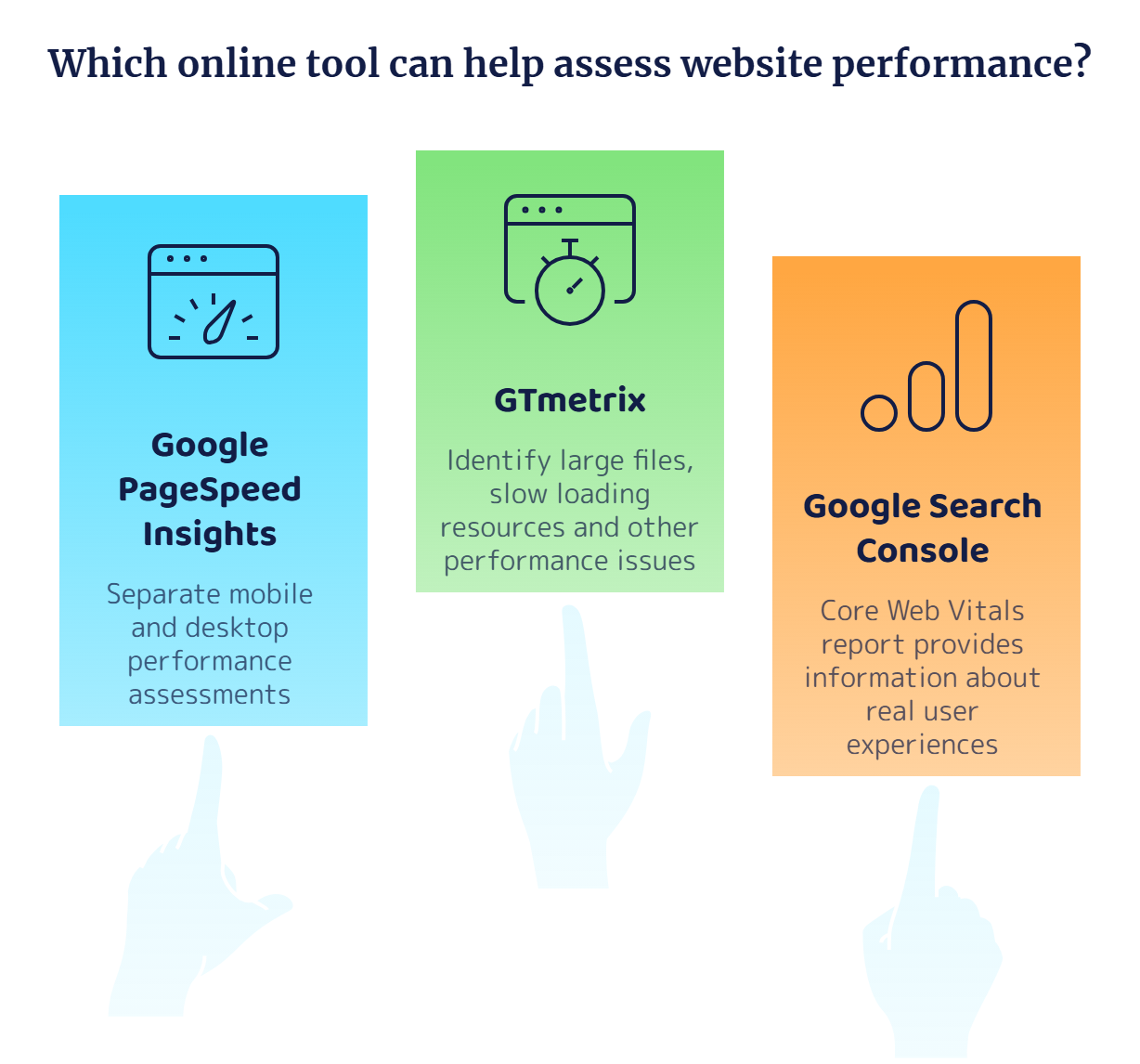
You do not need to guess whether your website is performing well. Several online tools can help identify loading issues and provide recommendations.
Here are three useful options:
Google PageSpeed Insights
This tool provides separate mobile and desktop performance assessments. It also highlights opportunities to improve loading, responsiveness and visual stability.
GTmetrix
GTmetrix helps identify large files, slow loading resources and other performance issues. It is useful when you want to understand which parts of a page are affecting its speed.
Google Search Console
The Core Web Vitals report in Search Console provides information about real user experiences for eligible pages. It can help identify groups of URLs that may need attention.
When checking your website, do not focus only on the final performance score. Look at the specific recommendations and understand which issues are having the greatest impact.
Understanding Core Web Vitals
Core Web Vitals are useful measurements that help website owners understand how visitors experience their pages.
There are three main metrics to understand:
Largest Contentful Paint (LCP): Measures how quickly the largest visible content element loads. A good result is 2.5 seconds or less.
Interaction to Next Paint (INP): Measures how responsive a website feels when visitors interact with it. A good result is 200 milliseconds or less.
Cumulative Layout Shift (CLS): Measures unexpected movement of content while a page loads. A good result is 0.1 or less.
These measurements provide useful guidance for developers who want to make websites more responsive and stable.
One Small Change That Can Make a Difference
If you are unsure where to begin, start with your most important landing page.
Check how long it takes to display the main heading, primary image and contact information. Look at the mobile version as well as the desktop version.
You may discover that a large hero image, an unnecessary script or a poorly configured resource is affecting the experience.
Fixing one significant issue is often more useful than making several small changes without understanding their impact.
Website Design and Development Should Work Together
Website performance should be considered during the design and development process rather than treated as an afterthought.
A good website needs to balance appearance, functionality, accessibility and technical efficiency. Attractive layouts are valuable, but they should not make it difficult for visitors to access information.
Businesses planning a new website or considering improvements to an existing one should look at both design and technical performance.
Explore our website design services and web development services to understand how a well-planned website can support business requirements.
It is equally important to make sure that a website is structured with search visibility in mind. Our search engine optimisation services provide further information about improving a business’s presence in search results. For more insight into the relationship between website performance and customer behaviour.
Final Thoughts
A website should make it easier for people to connect with your business, not give them another reason to leave.
Loading speed might seem like a small technical detail, but it influences how visitors experience your website, interact with its content and decide whether to contact you.
Start by understanding your current performance, identify the areas that need attention and make improvements based on actual testing results. Regular monitoring also helps ensure that new content and website updates do not introduce unnecessary delays.
At Aspire IT Solution, we believe that a successful website should bring together good design, reliable development and a smooth user experience. Giving website performance the attention it deserves can help businesses create a stronger and more effective online presence.